Soroban・算盤
An exact calculator with a spreadsheet attached.
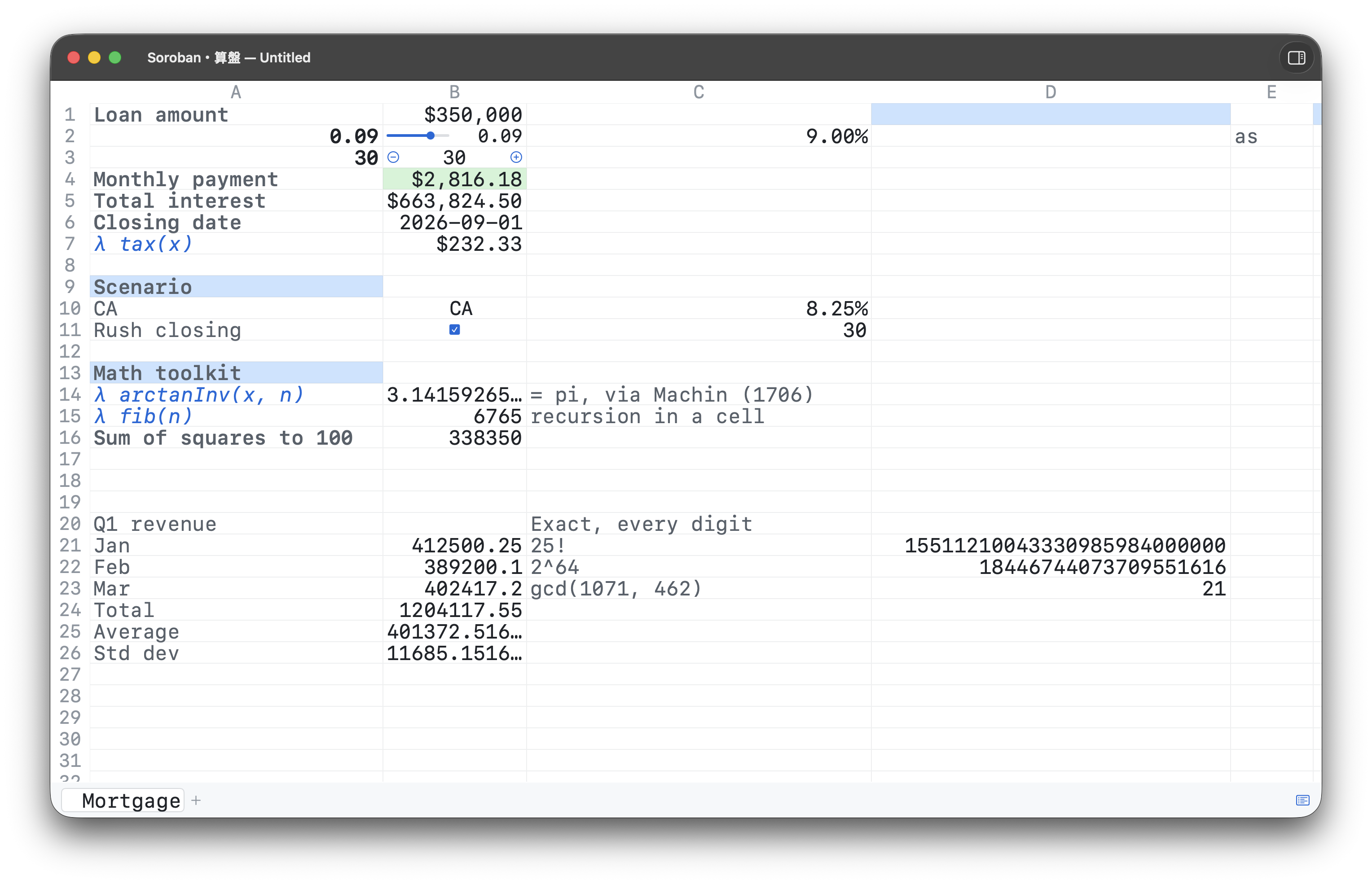
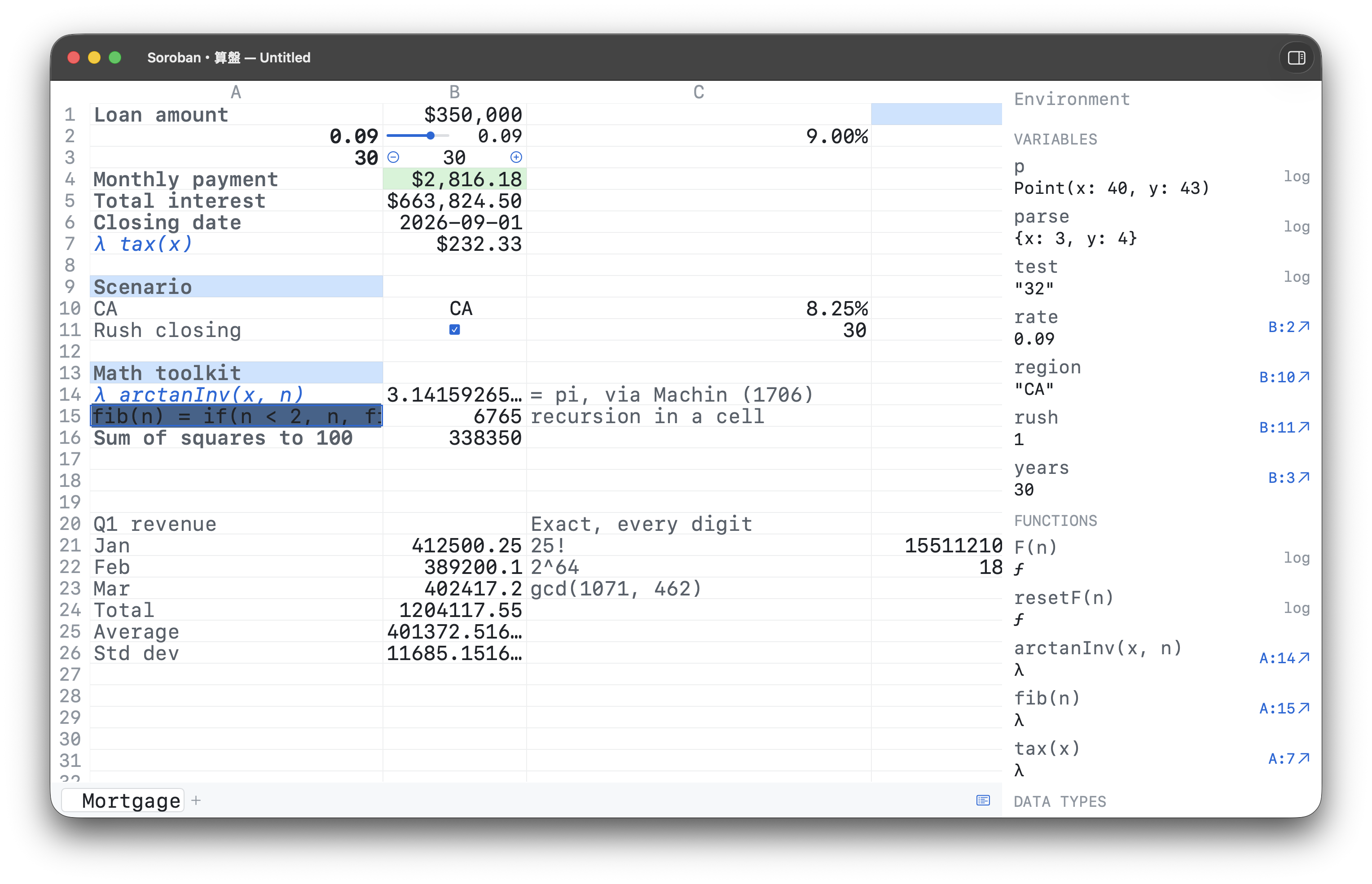
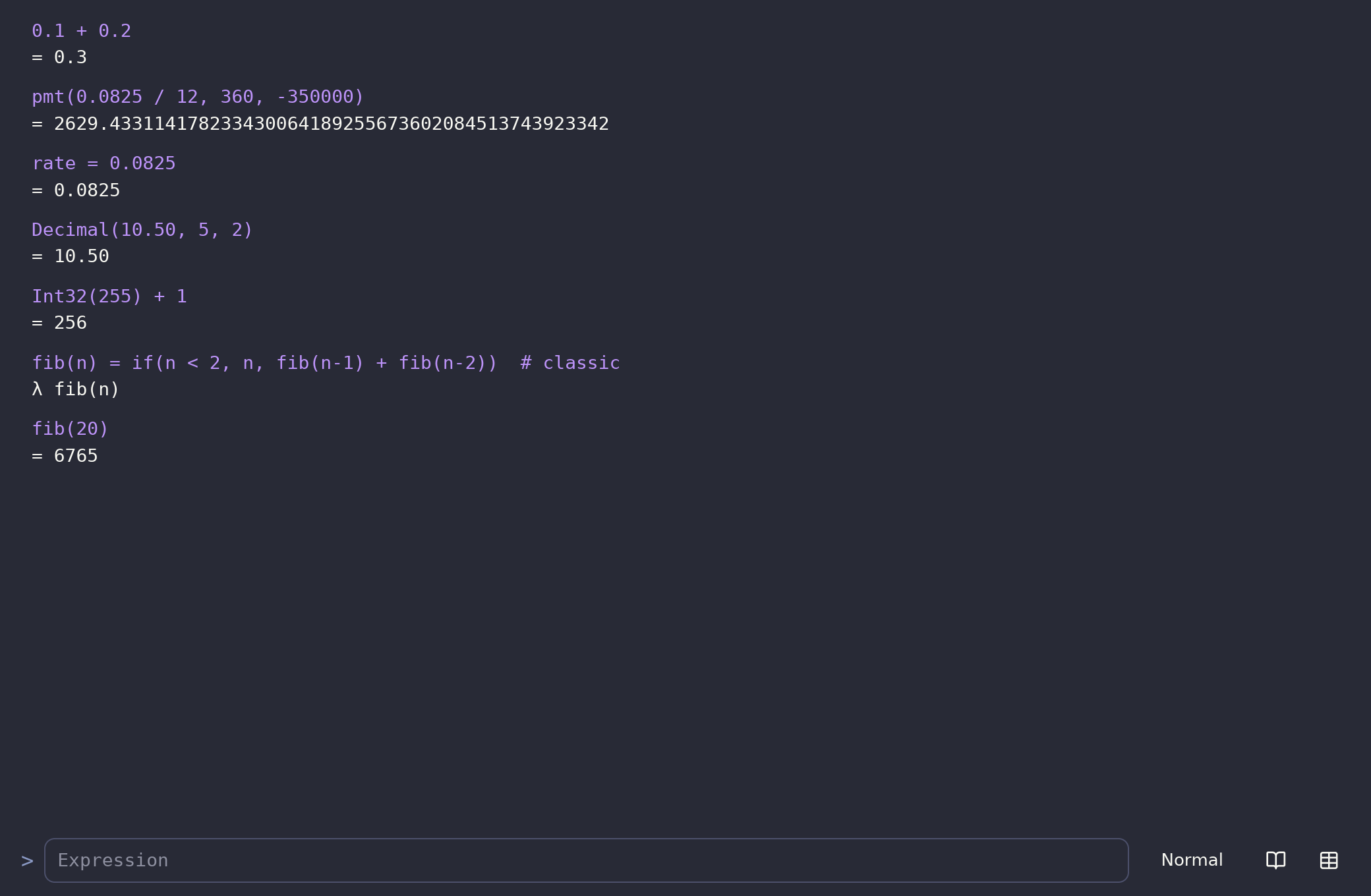
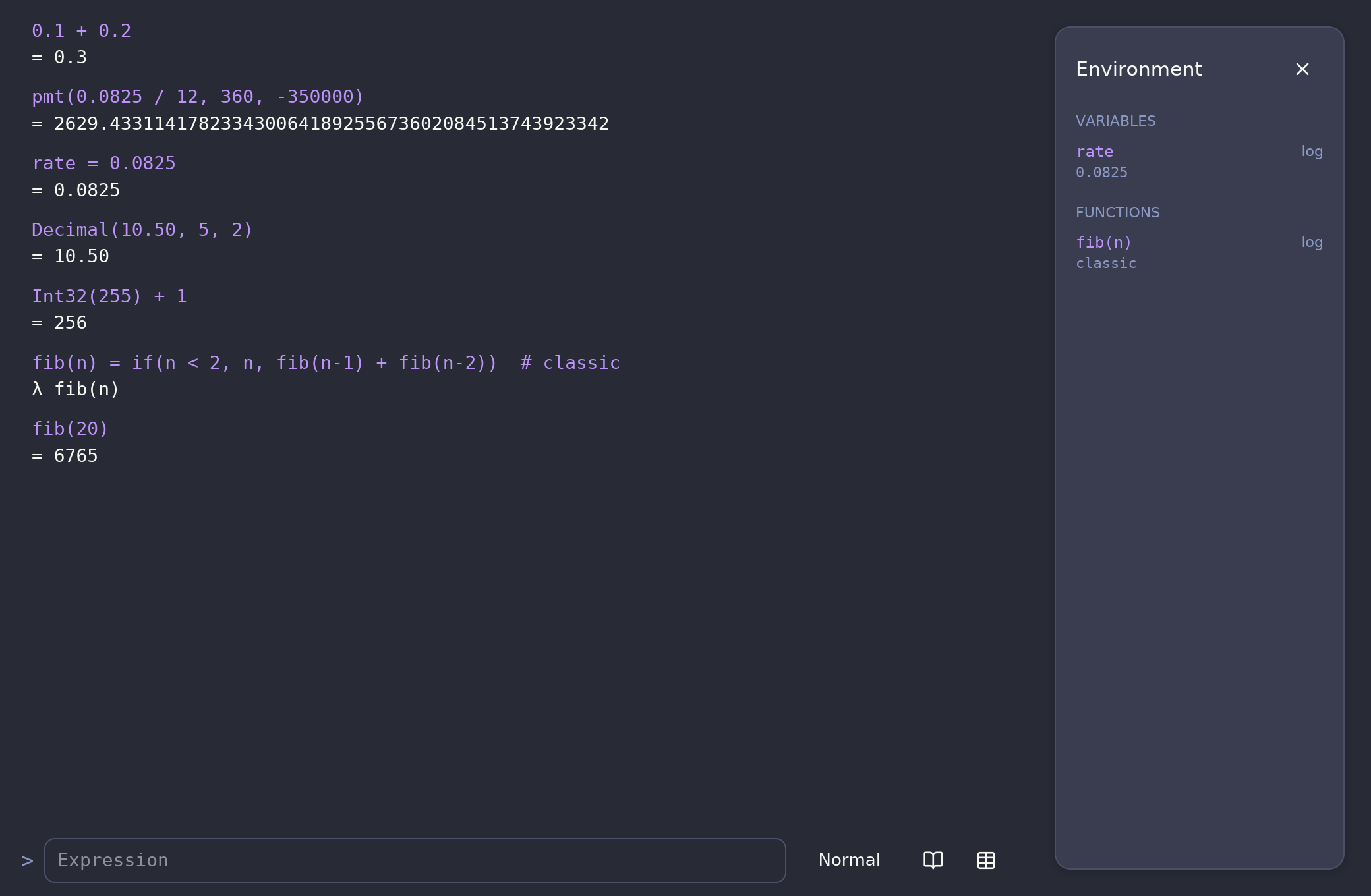
Type expressions into a scrolling log, or flip to a 26×1,000
grid where cells hold formulas, controls, and definitions.
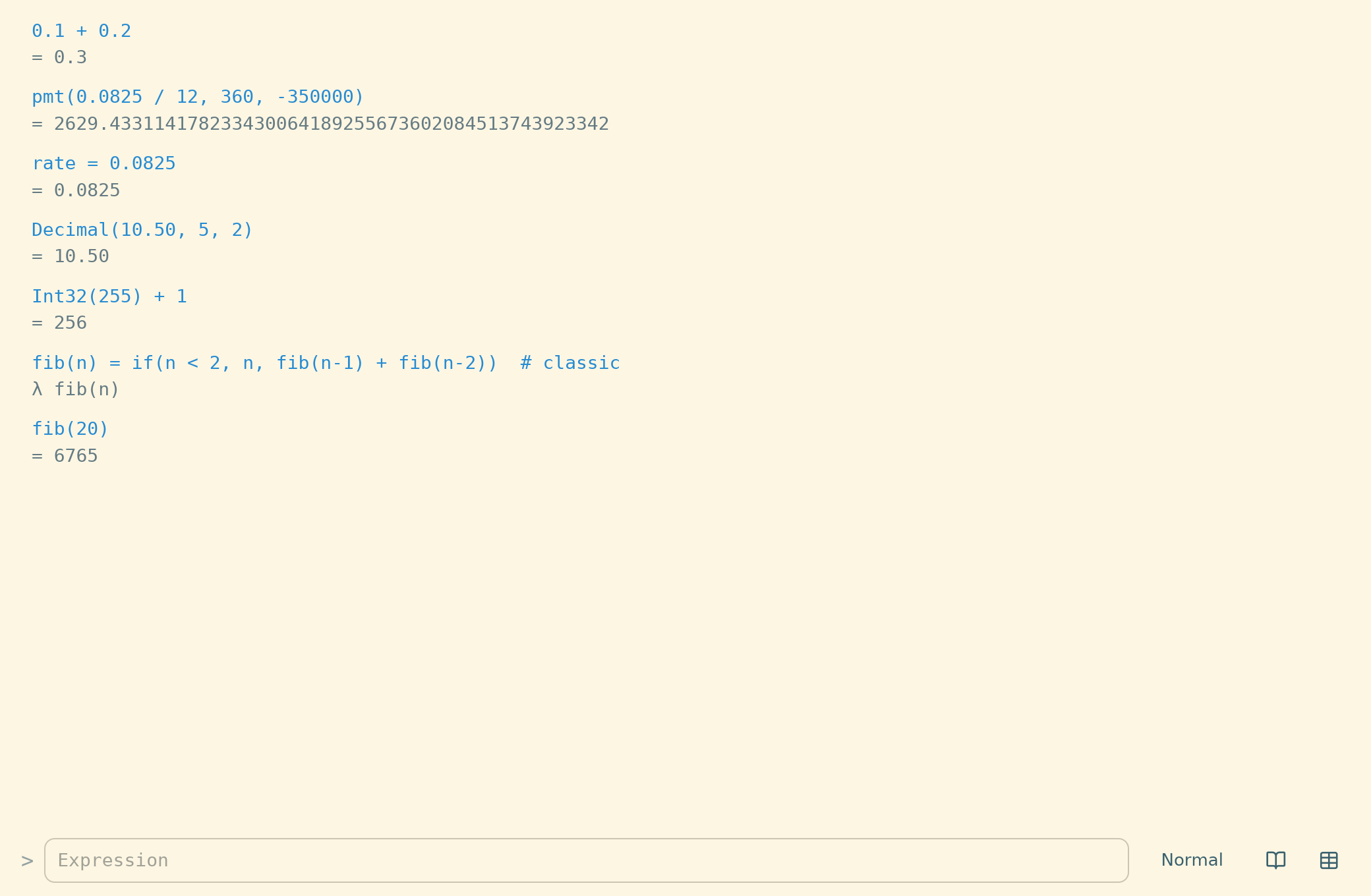
Underneath: an arbitrary-precision decimal engine — 0.1 + 0.2 is exactly
0.3, and money math never picks up floating-point
drift.
Cross-platform builds: macOS · Windows (x86-64 / ARM64) · Linux (x86-64 / ARM64) (all downloads)
Free & open source · macOS 15+ · Windows · Linux · saves plain, diffable files
Every behavior is a written, continuously-verified specification — proven by both the native (Swift) and cross-platform (Rust) engines against one shared spec — and continuously benchmarked across both.
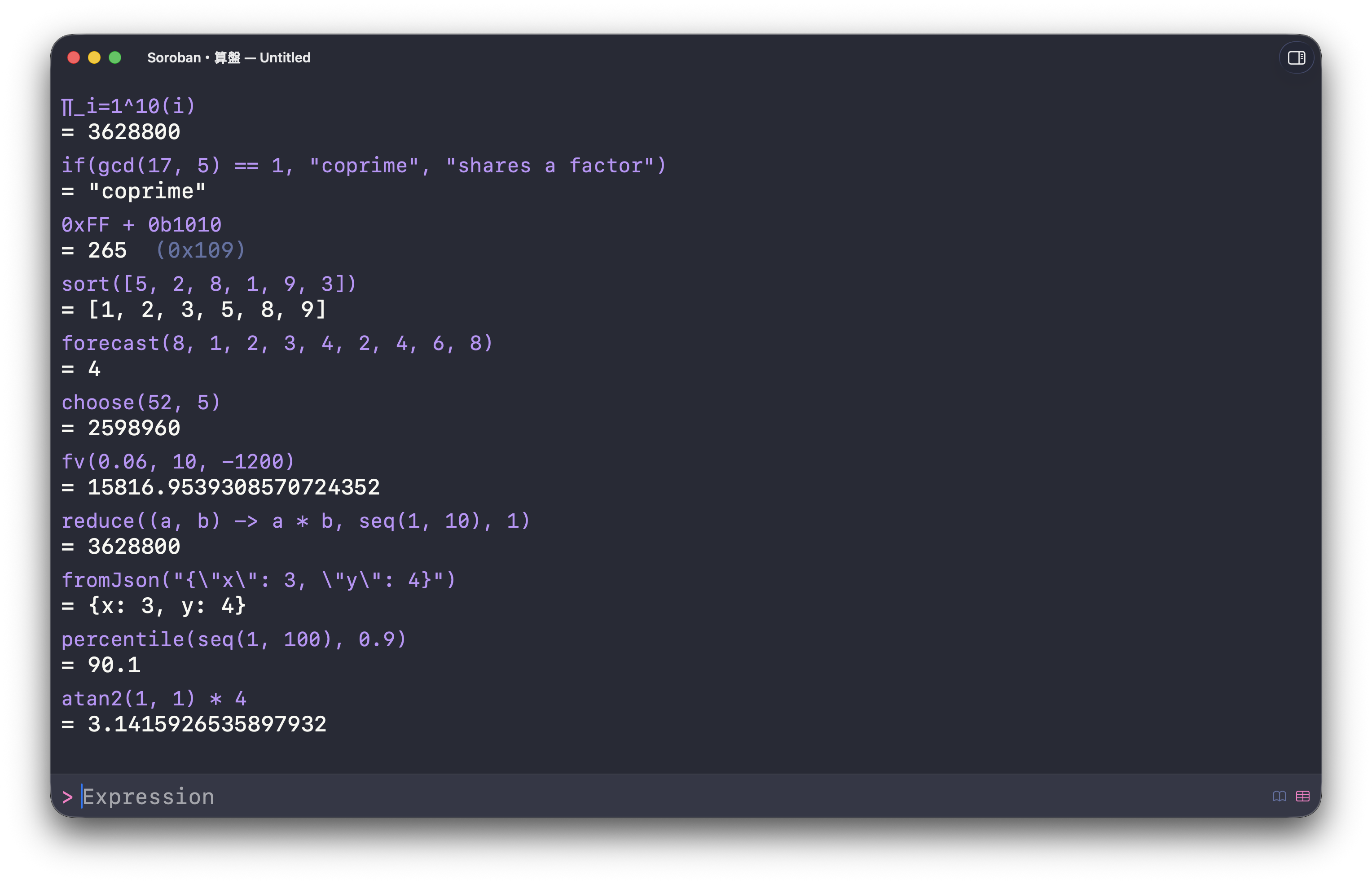
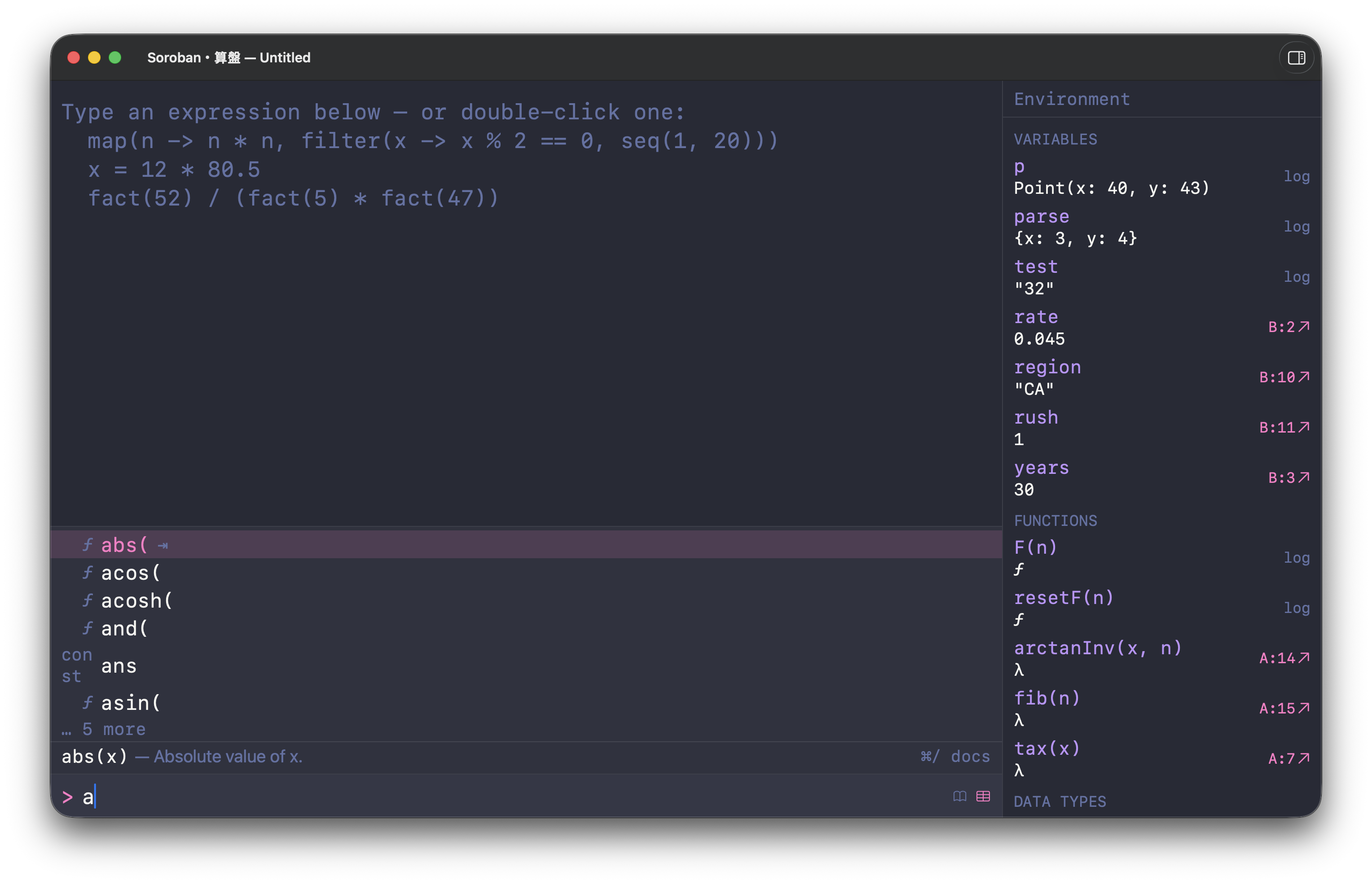
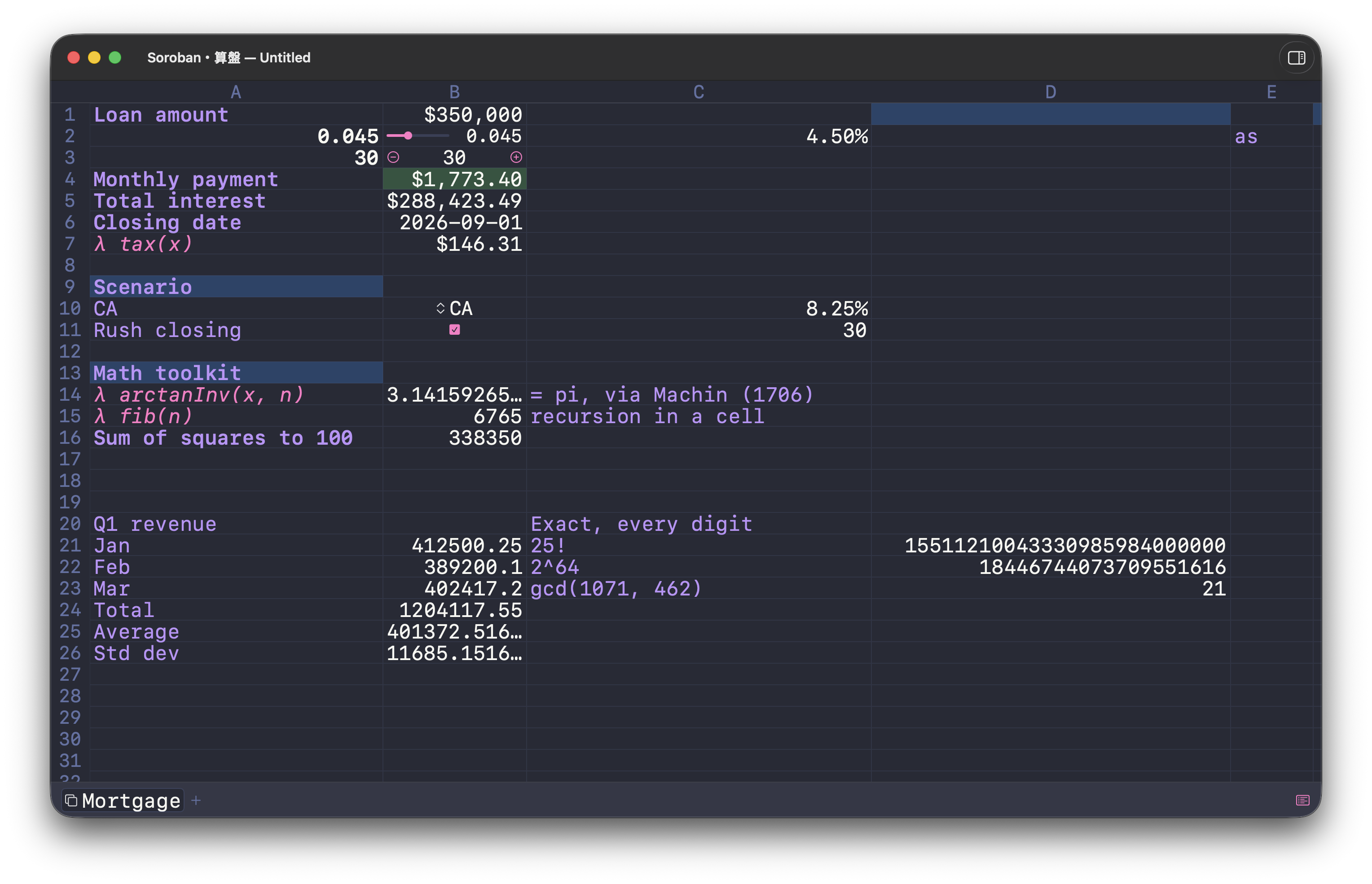
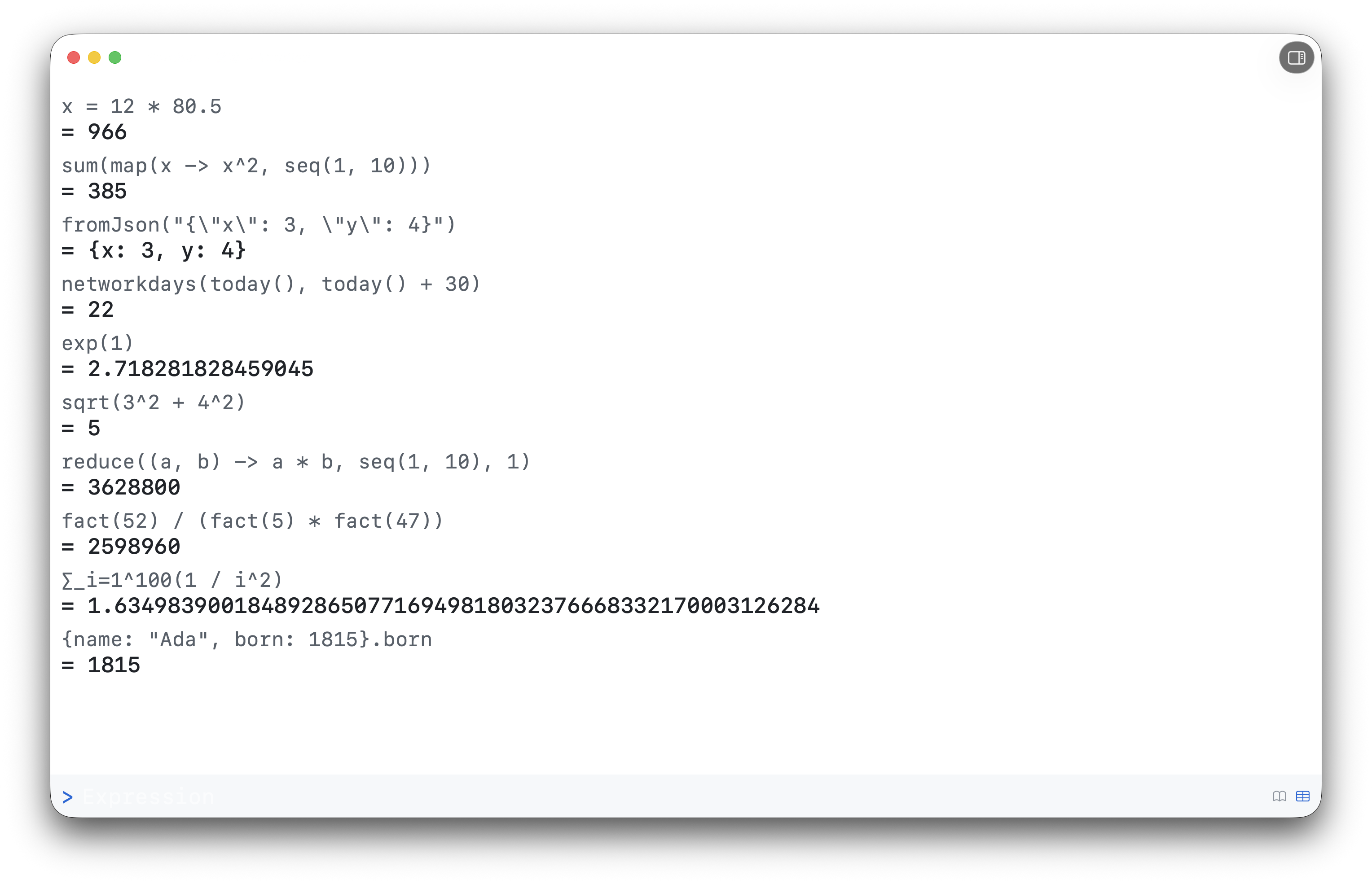
Built around one idea: be exact, then stay out of the way
Ten things Soroban does well. Tap a card to expand it.
Exact arithmetic
everywhere
A 50-digit exact decimal engine — 0.1 + 0.2 is
exactly 0.3 — plus a money type and checked
fixed-width integers.
Exact arithmetic
everywhere0.1 + 0.2 is
exactly 0.3 — plus a money type and checked
fixed-width integers.
Underneath everything is an arbitrary-precision
decimal engine. + − × and integer powers
are exact; division carries 50 significant
digits with banker's rounding. 0.1 + 0.2
is exactly 0.3, and Machin's 1706 formula
recovers π to 51 places in three typed lines — money
math never picks up floating-point drift.
When you need a bounded type, it
stays exact but checked.
Decimal(10.5, 5, 2) is 10.50
— SQL DECIMAL(p, s), the money type:
rounds to the scale, errors on precision overflow
instead of silently dropping digits (banker's
rounding, or Rounding.HalfUp).
Int32(255), UInt8(8) are
integers at 8–256 bits, signed or unsigned —
Int8(100) + Int8(100) is an overflow
error, never a silent wraparound.
And the everyday formulas are built in across domains:
statistics (median, stdev),
algebra (sqrt, gcd), logic
(if, and, or),
finance (pmt, irr,
xirr), and dates (edate,
days).
The Anzan language
everywhere
Custom functions, recursion, data structures, lambdas, and
namespaces — a real little language, fully specified.
The Anzan language
everywhere Anzan — Soroban's expression
language — is a small but real language. Define a
function and it's immediately usable:
f(x) = x * 2. Functions recurse, take
LaTeX-style reductions (∑/∏),
and document themselves from a trailing
# comment.
It has first-class data — arrays, maps, strings,
booleans, and data records — plus
higher-order functions and lambdas
(map(x -> x^2, [1, 2, 3])). Group your
own types and functions into
namespaces (Geo::Point,
import Geo), nesting and all. Every
built-in has a man page (man pmt, or ⌘/
for a searchable reference), and every documented
example is evaluated by the test suite — so the docs
can't rot.
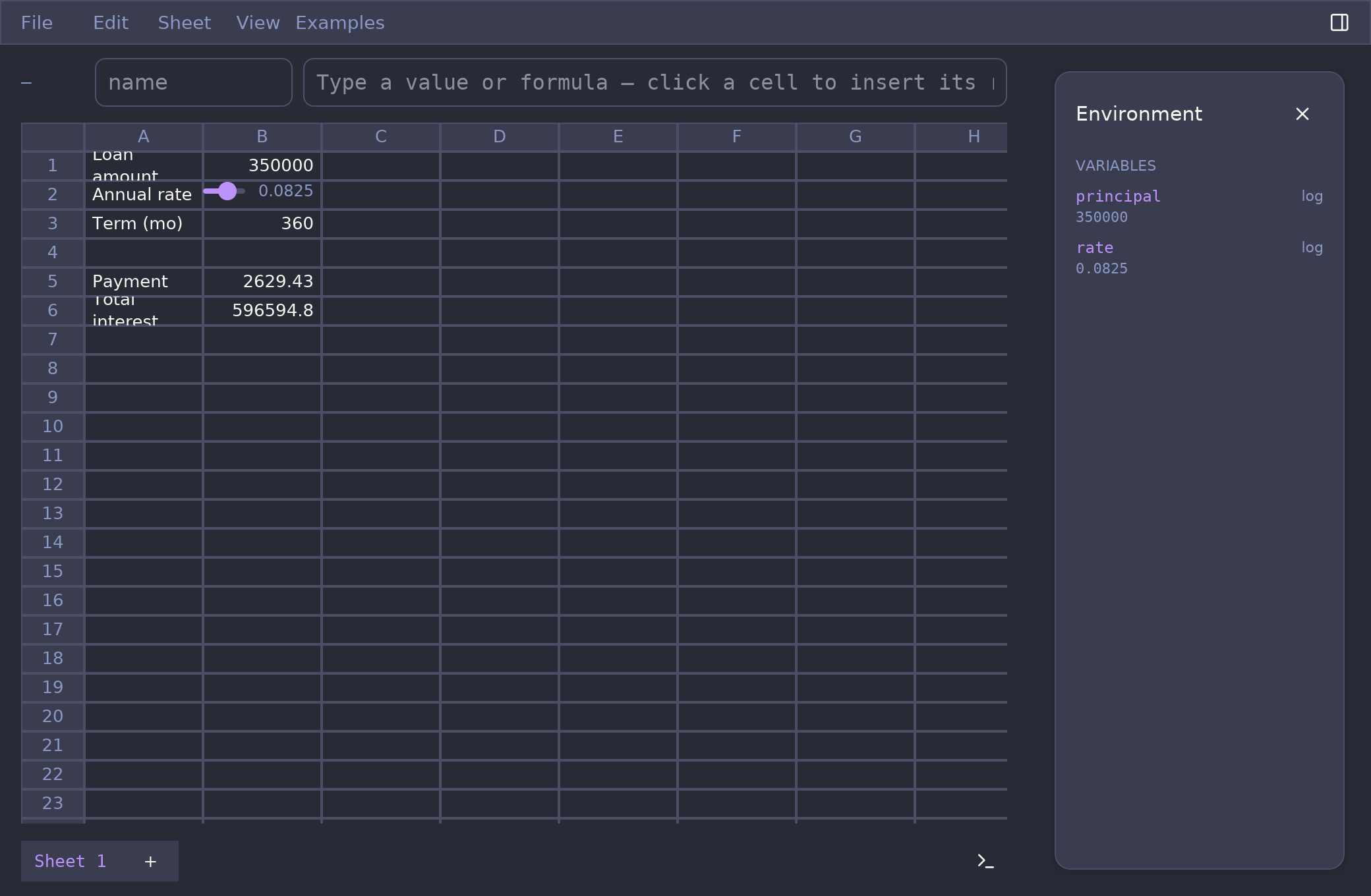
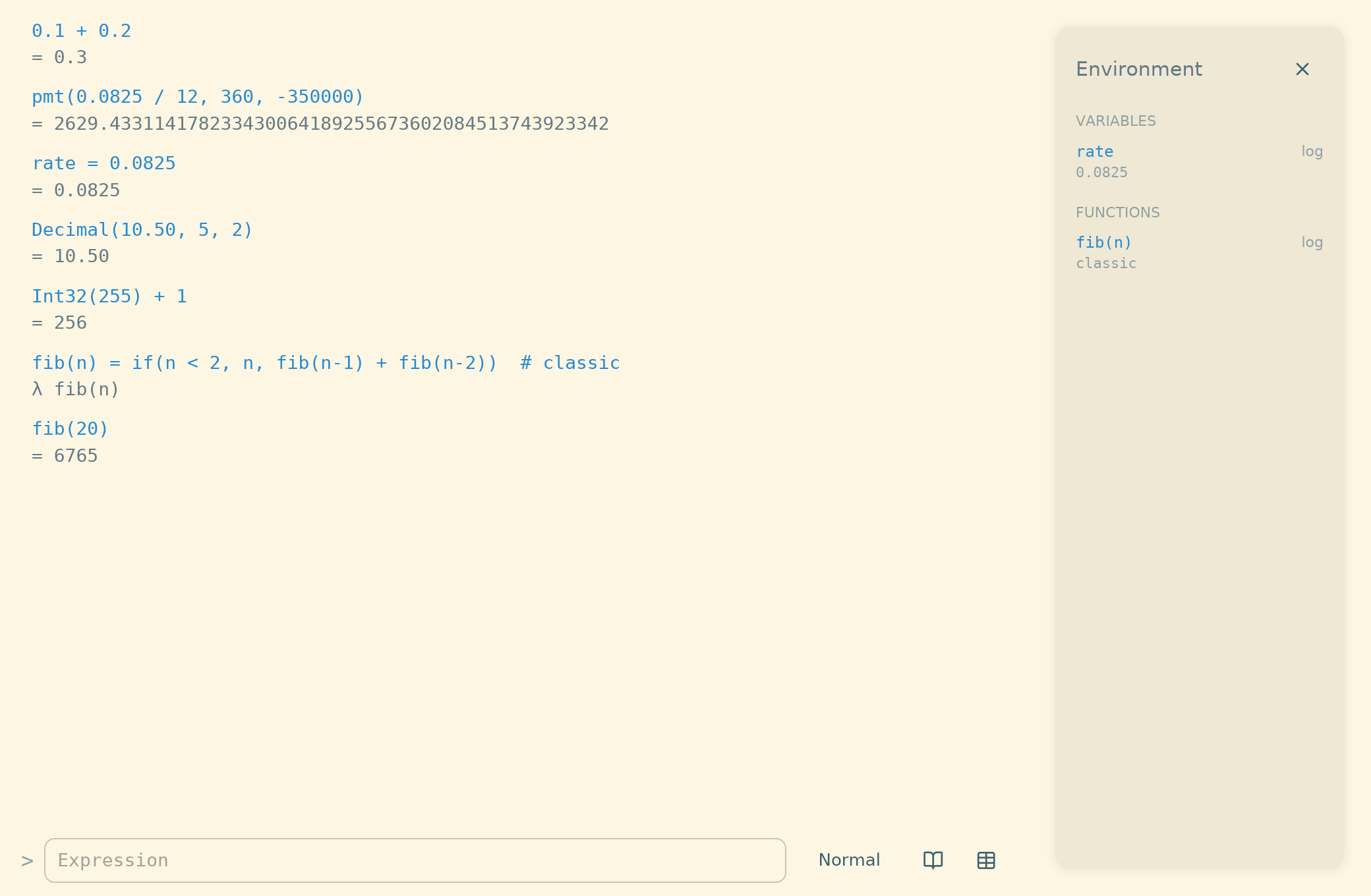
Log + grid, one engine
log · grid
A scrolling calculator log and a 26×1,000 grid that share
every variable, function, and cell reference.
Log + grid, one engine
log · grid
Type into a scrolling calculation log, or flip to a
26×1,000 spreadsheet grid (⌘\). They share one engine:
reference B:1 from the log, use
rate in a cell, sum a column with
sum(A:1..A:9) — across worksheets too
(Budget!A:1).
Name a cell and write 'Projected Rate' * 12
instead of B:7; renames rewrite every
referencing formula. A formula can even inspect the
workbook itself — cell("A", 1).value,
Workbook.worksheets["Budget"],
sheetNames() — with reads kept live, and
log commands like updateCell /
addWorksheet changing it one undo step at
a time.
Programmer mode & bit editor
everywhere
A C-style dialect and a clickable binary bit editor with
reusable, color-coded bit-field formats.
Programmer mode & bit editor
everywhere
Flip the log to Programmer mode and
the overloaded glyphs read like C: ^ is
XOR, & | << >> ~ are bitwise, % is modulo.
It's a display dialect, not a semantic switch
— the stored formula stays canonical, so it can never
mean two things. :mode programmer in the
CLI; a picker in the app.
The app adds a macOS-Calculator-style binary
bit editor: a number becomes a clickable
register, and a reusable bit-field
format labels its bit ranges — numeric,
per-bit flags (r-x), or an enum that
decodes a value to a label. Build one visually: drag
the bits to carve a group, name it, color it, and save.
Formats persist as ordinary typed values you can read
and edit.
Currency as a type · Scientific mode
everywhere
Type money like you write it — $10,000 + ($15,000 * 5%)
is $10,750.00 — in every mode, with currency as
a real type.
Currency as a type · Scientific mode
everywhere$10,000 + ($15,000 * 5%)
is $10,750.00 — in every mode, with currency as
a real type.
Money reads the way you'd write it on paper — no mode
switch needed: $10 * 5% is
$0.50, €10 * .4 is
€4.00, and thousands group with commas —
138,561 * 9% answers
12,470.49, echoing your grouping back.
The currency is a type, not decoration. It
rides the value through arithmetic — a money input
always answers as money, rendered grouped at two
decimals with the symbol outside the sign
(-$1,234.50) — and mixing currencies
($10 + €5) is a loud error, never a
guess. Ten currencies from $ to
₿; the constructor
Money(10, "USD") is what persists,
exactly like Decimal(…) and
Int32(…). Nothing existing changes
meaning: $A:1 still pins a cell
reference, and max(138,561) is still two
arguments — the separator always wins inside a call.
And alongside Programmer sits Scientific
mode: plain numeric results echo in
scientific notation (123456 * 2 answers
2.46912e5) at the value's own
significant digits — never rounded — with an
engineering variant (:mode scientific eng
→ 246.912e3). The ° degree
literal works in every mode: sin(90°) is
exactly 1.
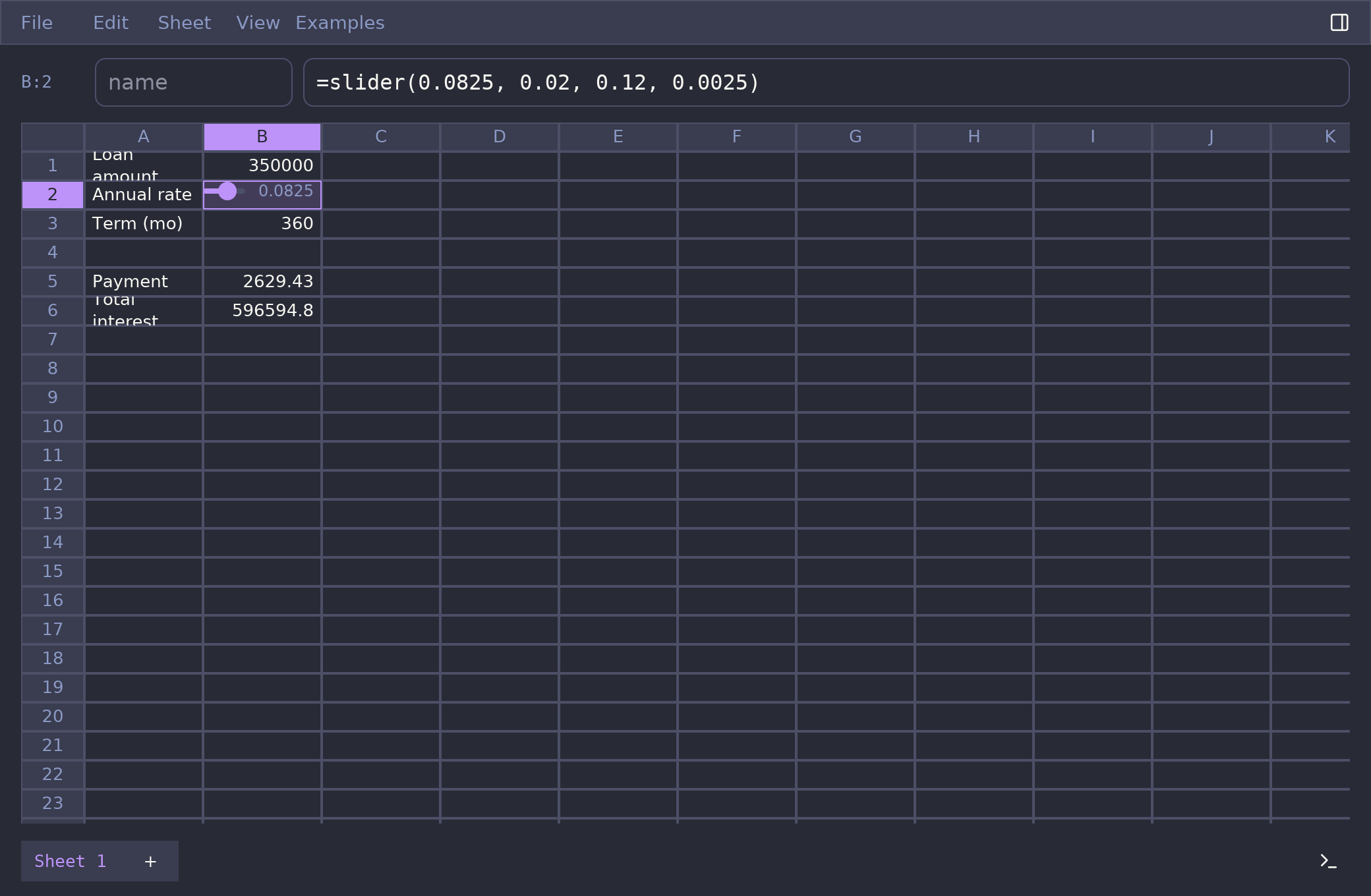
Live what-if controls
grid
Sliders, steppers, checkboxes, and dropdowns right in the
cells — the model recalculates as you drag.
Live what-if controls
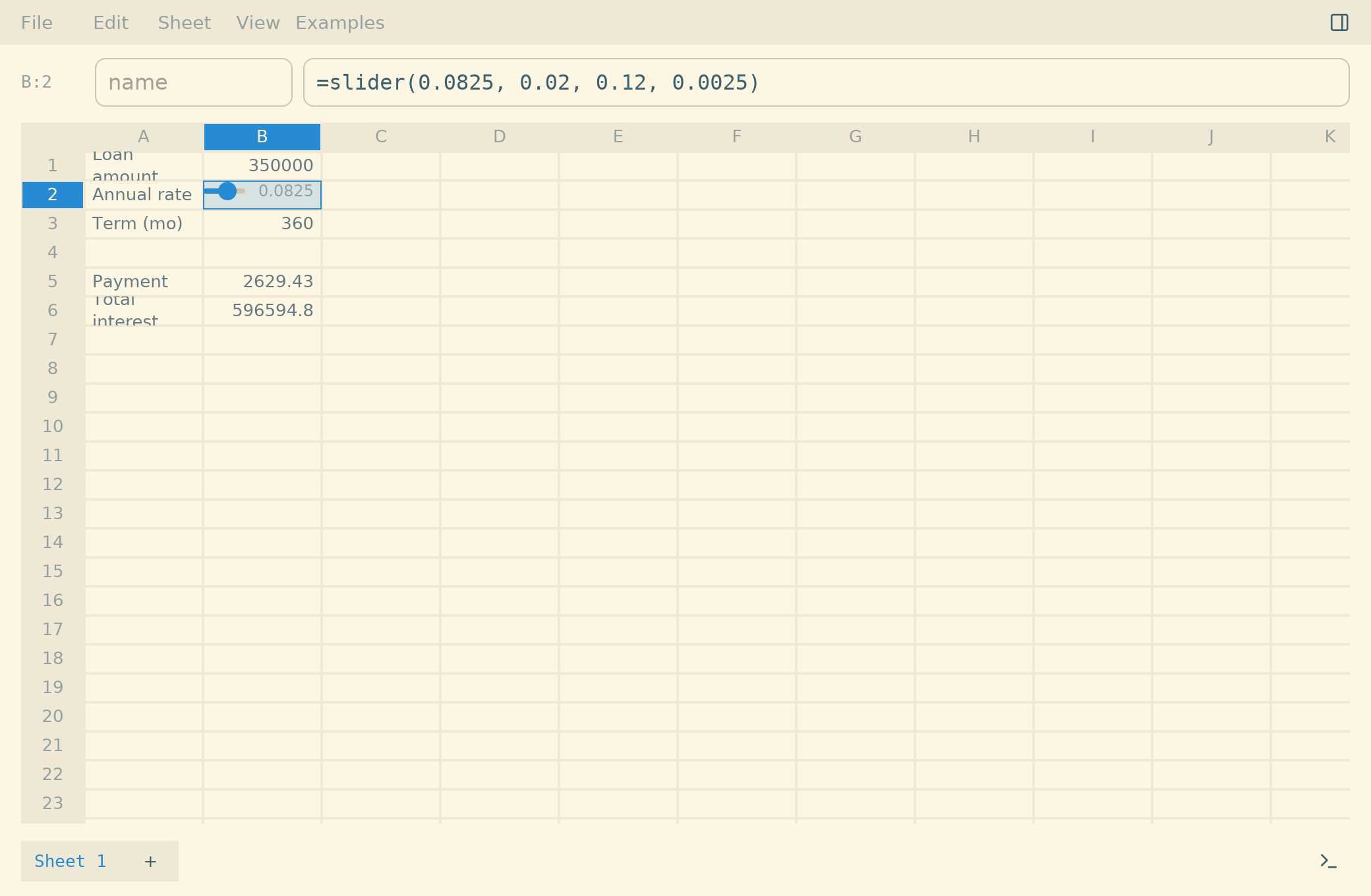
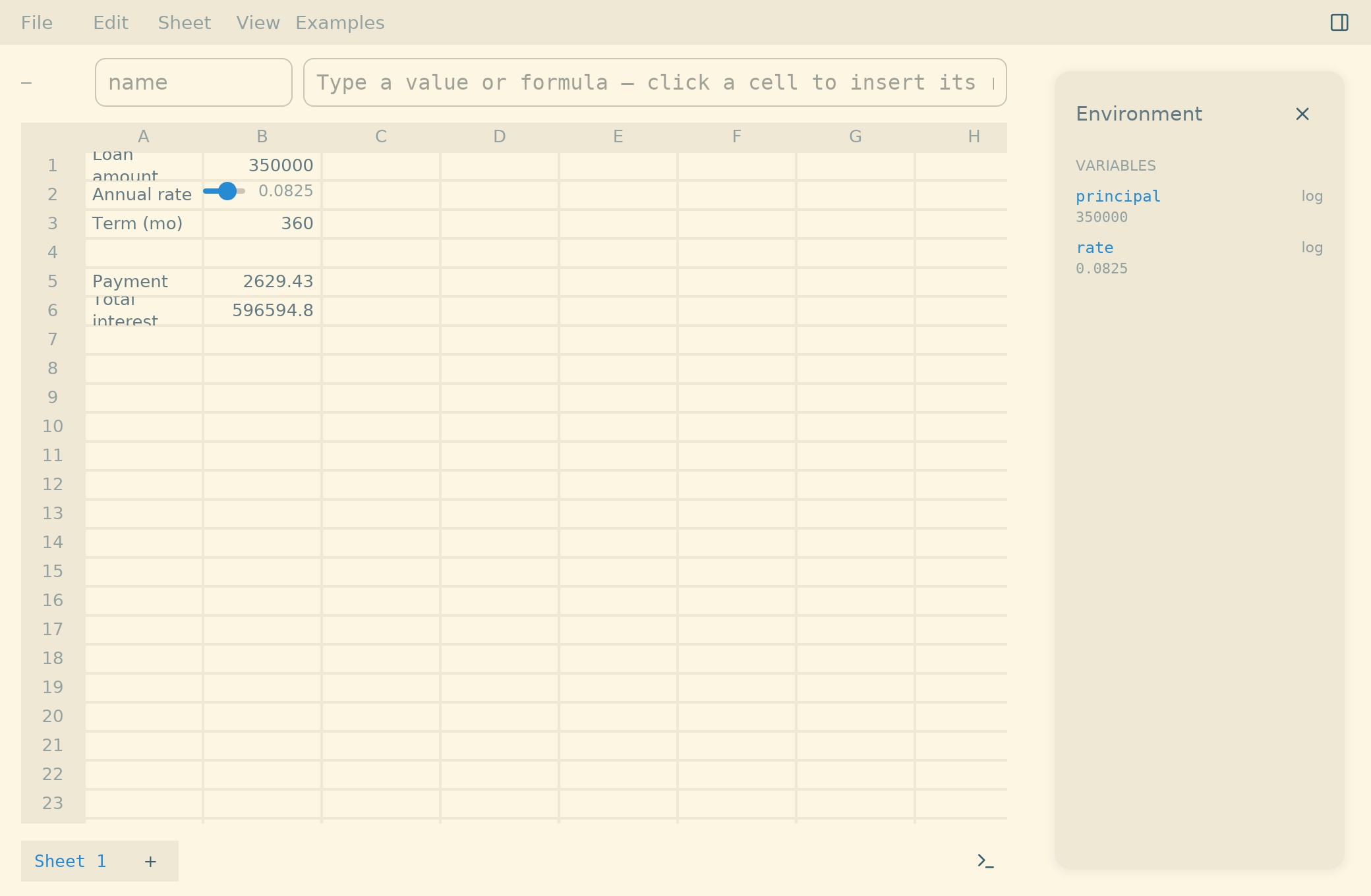
grid rate = slider(0.08, 0, 0.2) renders as a
draggable slider right in its cell — plus steppers,
checkboxes, and dropdowns. The whole model
recalculates as you drag, with one undo step on
release. The control's value is the stored
literal, so it's still a plain, inspectable formula.
Data sheets at scale
grid
Import 100,000-row CSVs into SQLite-backed sheets; formulas
reach every row, opens stay instant.
Data sheets at scale
grid
Import a 100,000-row CSV into a SQLite-backed sheet
that lives inside the document. Formulas reach every
row (sum(Sales!C:2..C:100000)), and opens
stay instant — the grid renders a window, the database
holds the rows.
In your terminal
cli
The whole language ships as a soroban CLI:
REPL, pipes, and real exit codes.
In your terminal
clisoroban CLI:
REPL, pipes, and real exit codes.
The full language ships as a soroban CLI.
Run it as an Anzan REPL with tab completion, signature
hints, and persistent history; pass an expression as an
argument; or pipe it
(echo "fact(25)" | soroban) and script
against real exit codes. Same engine, same
column-accurate error carets — just no grid.
A plain file format
log · grid .soroban is documented JSON (+ SQLite) —
diffable, scriptable, hand-editable. CSV in and out.
A plain file format
log · grid.soroban is documented JSON (+ SQLite) —
diffable, scriptable, hand-editable. CSV in and out.
.soroban is a documented package of
pretty-printed JSON (plus SQLite for data sheets) —
diffable in git, scriptable, hand-editable. Every
behavior of the format is written down, and CSV goes in
and out. Your work isn't trapped in a binary blob.
Make it yours
Ten built-in themes, or drop in your own. This very site is
wearing two of them.
Make it yours
Ten built-in themes — Solarized, Dracula, Nord, gruvbox… — or drop a small JSON theme into Application Support to make your own. This very site is wearing two of them; toggle it in the header.
Open source
Soroban is developed in the open — and it's two engines, one shared spec: a native Swift build and a cross-platform Rust build, both standalone and UI-free, verified against the same executable Gherkin specification — including the mathematical identities that certify it (π via Machin, Nicomachus, the Gregorian leap rule…). Read it, audit it, build it yourself.
Donations
The app is free and always will be. If it earns a place in your workflow, a donation keeps the work moving — and is genuinely appreciated.